
This post contains affiliate links. If you buy through one, I may earn a commission at no extra cost to you. I only share tools I've used myself and genuinely recommend. My philosophy is to be very discerning about operating costs and I only share if I think it will benefit you.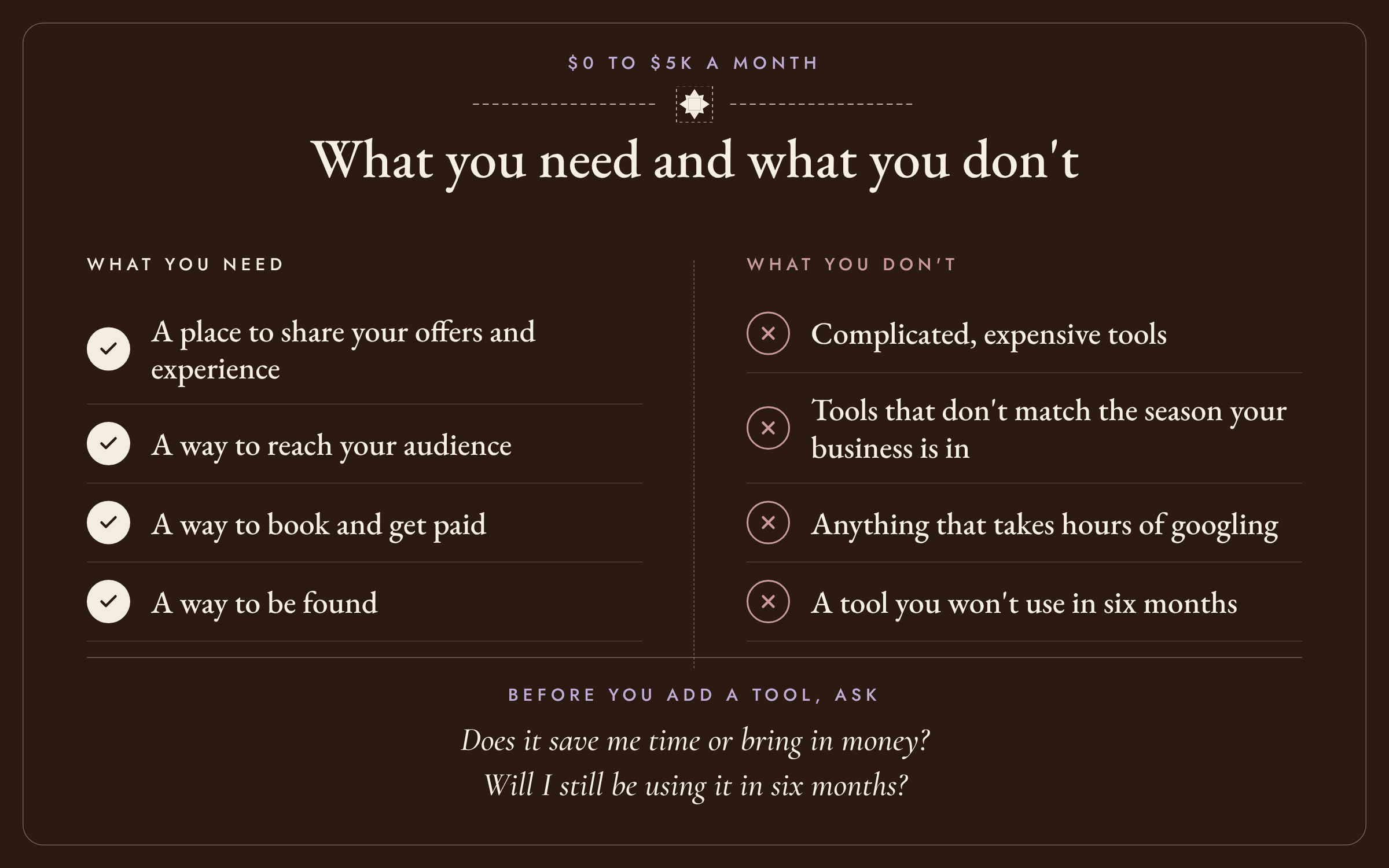
A simple tech stack for coaches
A simple tech stack for coaches is the smallest set of tools that lets you share your offers, reach your audience, book and get paid, and be found. For most coaches, that's a website template, an email platform, a booking and payments tool, and one way to research what your people are searching for.
Coaches, creatives, and solo business owners don’t need (or want) all the complicated and expensive tools. But it’s usually what’s recommended to you.
In your simple tech stack you want a small set of tools that runs your website, your email list, your bookings and payments, and your keyword research (for organic visibility).
Growing a sustainable business means you’re choosing to be intentional in every aspect of what you’re called to create, and this should include the tools that help you do your work well, without feeling overwhelmed.
How I choose a tool
Solo business owners and lean coaching and creative businesses making $0-5k per month: you don’t need all the things to keep your business moving. At this stage of your business it’s wise to keep things lean and practical, choosing intentionally, and editing out what doesn’t end up helping your business to run smoother.
Ask yourself these two questions before you add a tool to your stack:
Does it save me time or bring in money?
Will I still be using it in six months?
If it’s not clear a tool can save time or money, I skip it. And, if I can't picture using it in six months, it doesn’t pass the test. Most of the tools that bloat a coach's expenses are nice to haves, not necessities. They felt exciting the week you invested, but they end up take a lot of googling, when in your growth season you’d be better off using that time building your network.
I’ve chosen to highlight 4 tools: a place to house your offers and experience, a way to connect with your audience, a way to get paid, and a way to be found.
Your Website: Big Cat Creative Templates
Your website is the one place online that’s yours. Not only does adding ‘build a website’ to your January goals feel daunting, it can also be the thing that takes time away from growing your business.
That’s the one catch I’ve seen with business owners on repeat. The solution is to build something simple, beautiful, and that will be easy for you to add to or update — new offers, copy changes, pivots when they come up (without needing a designer to do it for you).
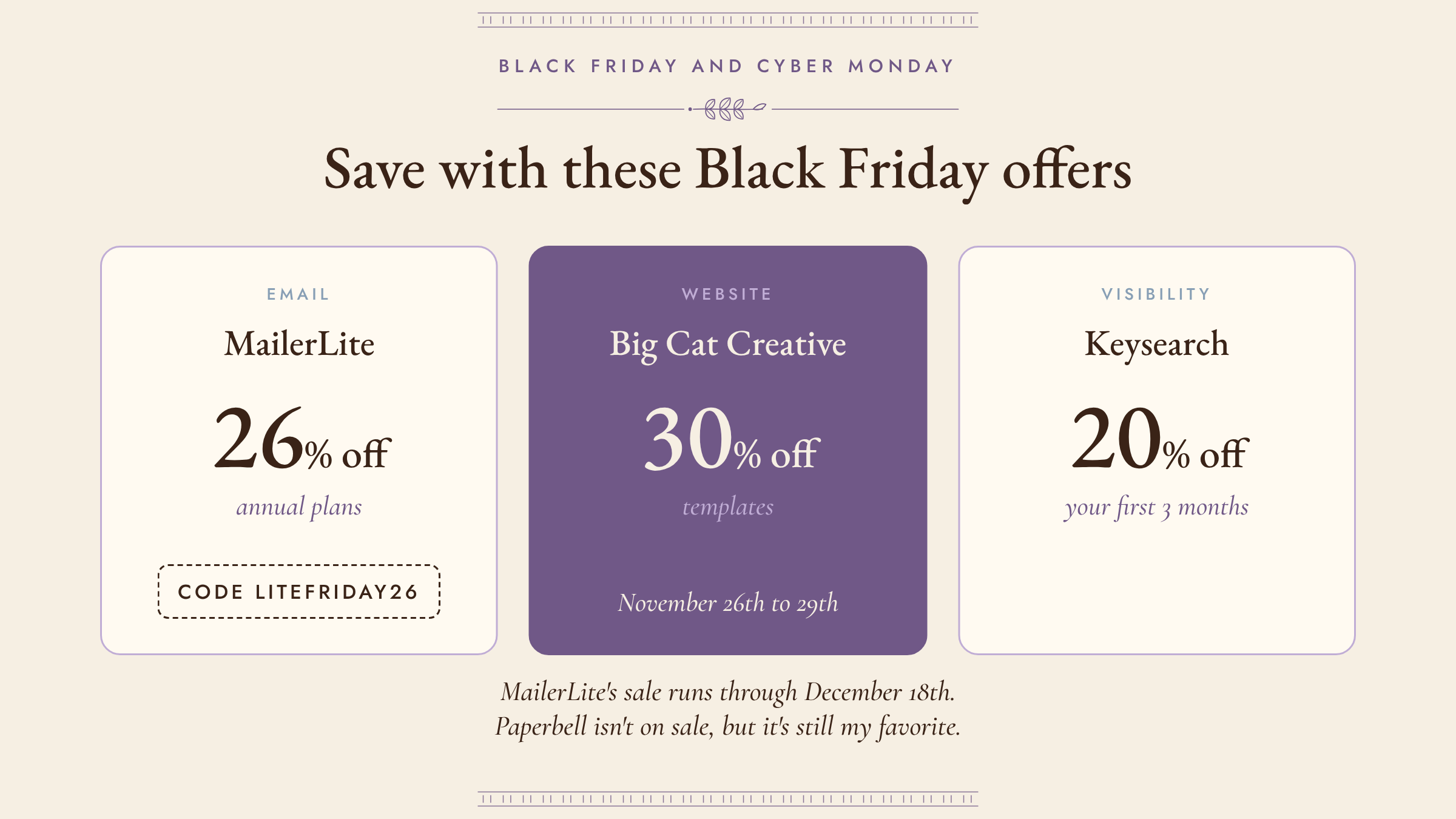
If you choose to use Squarespace, you have to know about Big Cat Creative website templates.
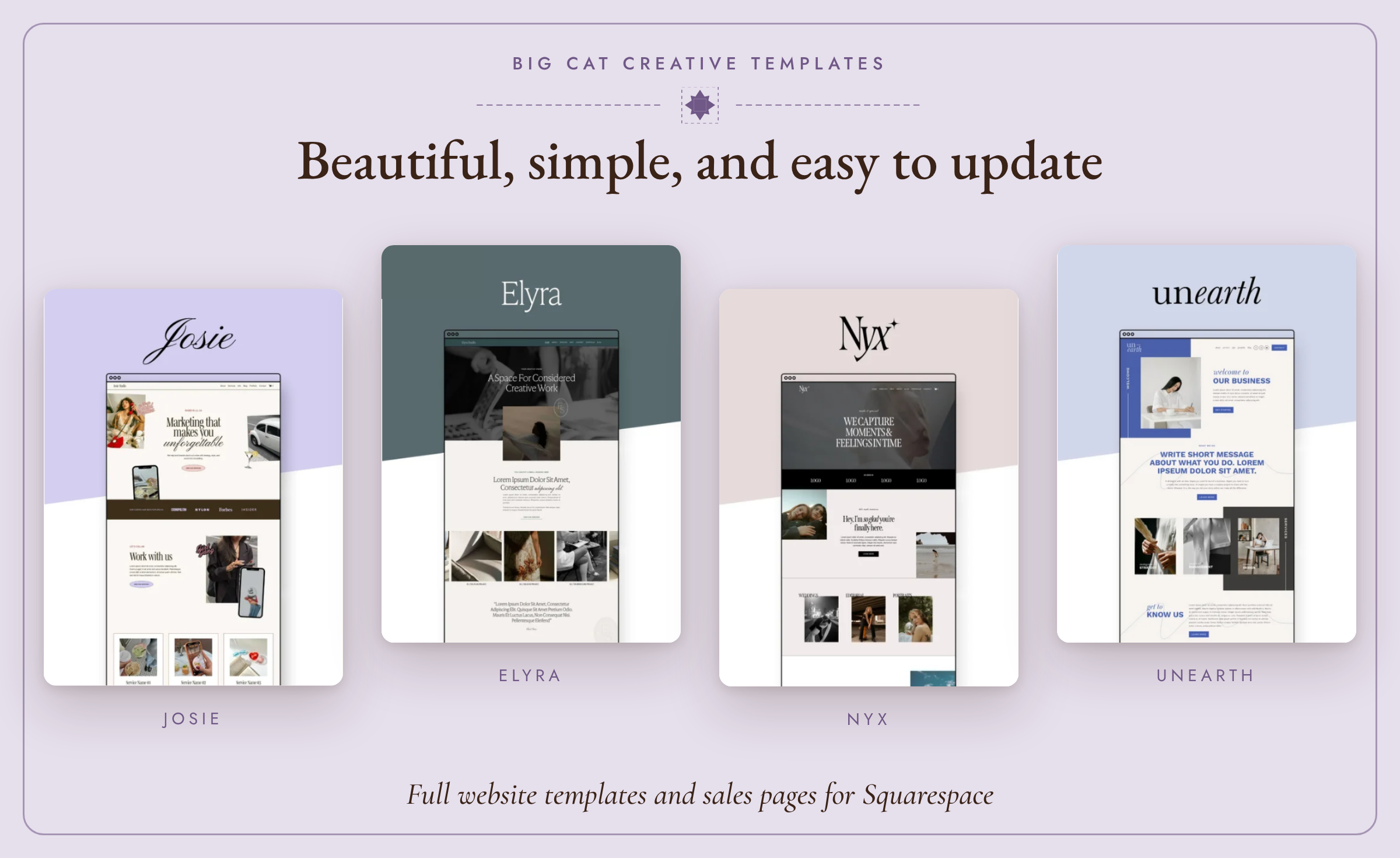
Squarespace is my favorite platform to build beautiful, SEO-friendly, and easy to update websites. I’ve designed dozens of landing pages, opt-in forms, and websites for myself and clients over the years.
Opt for full website templates or start with a sales page one.
Your Email List: Mailer Lite
Whether you’re plotting your exit from socials or you’re using socials to build your audience, don’t forget to bring your audience onto your email list.
A lot of people don’t know this but once you post a photo or video in IG or TT those platforms own that content, you don’t. With an email list, you’re in full ownership of your audience and what you create there.
So the smartest move is to start bringing your audience into your world via an email list.
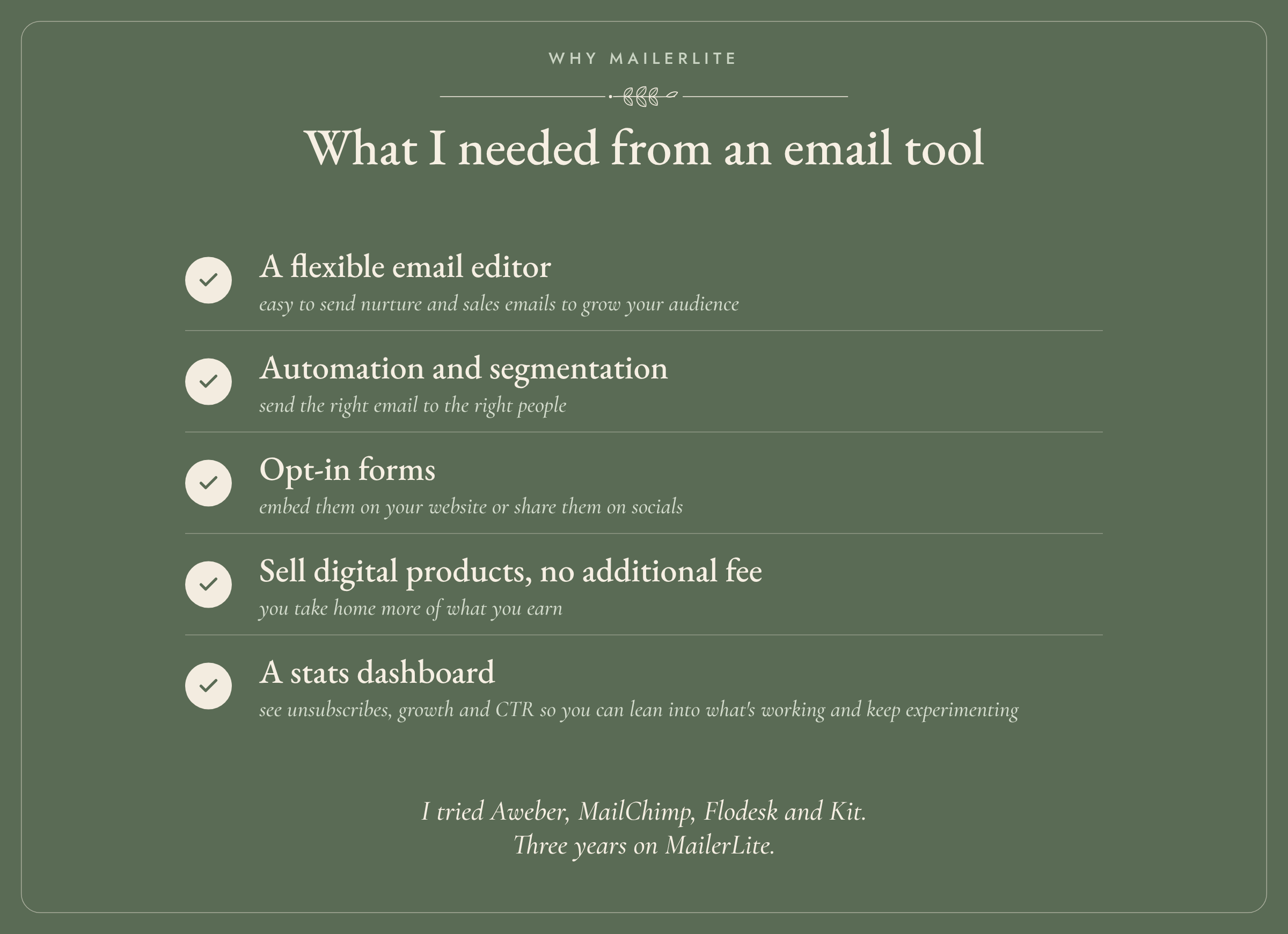
I’ve tried them all: Aweber, MailChimp, Flodesk, and Kit. For the last 3 years I’ve used MailerLite and love them.
To me Flodesk was great for visuals but didn’t have the automation and segmentation capabilities I wanted. And they couldn’t decide their pricing structure which felt frustrating.
And with Kit’s rebrand things that I should’ve been grandfathered into were taken away from my plan and the price was bumped without warning (not a fan). I also didn’t find the email editor to be that flexible which was important to me.
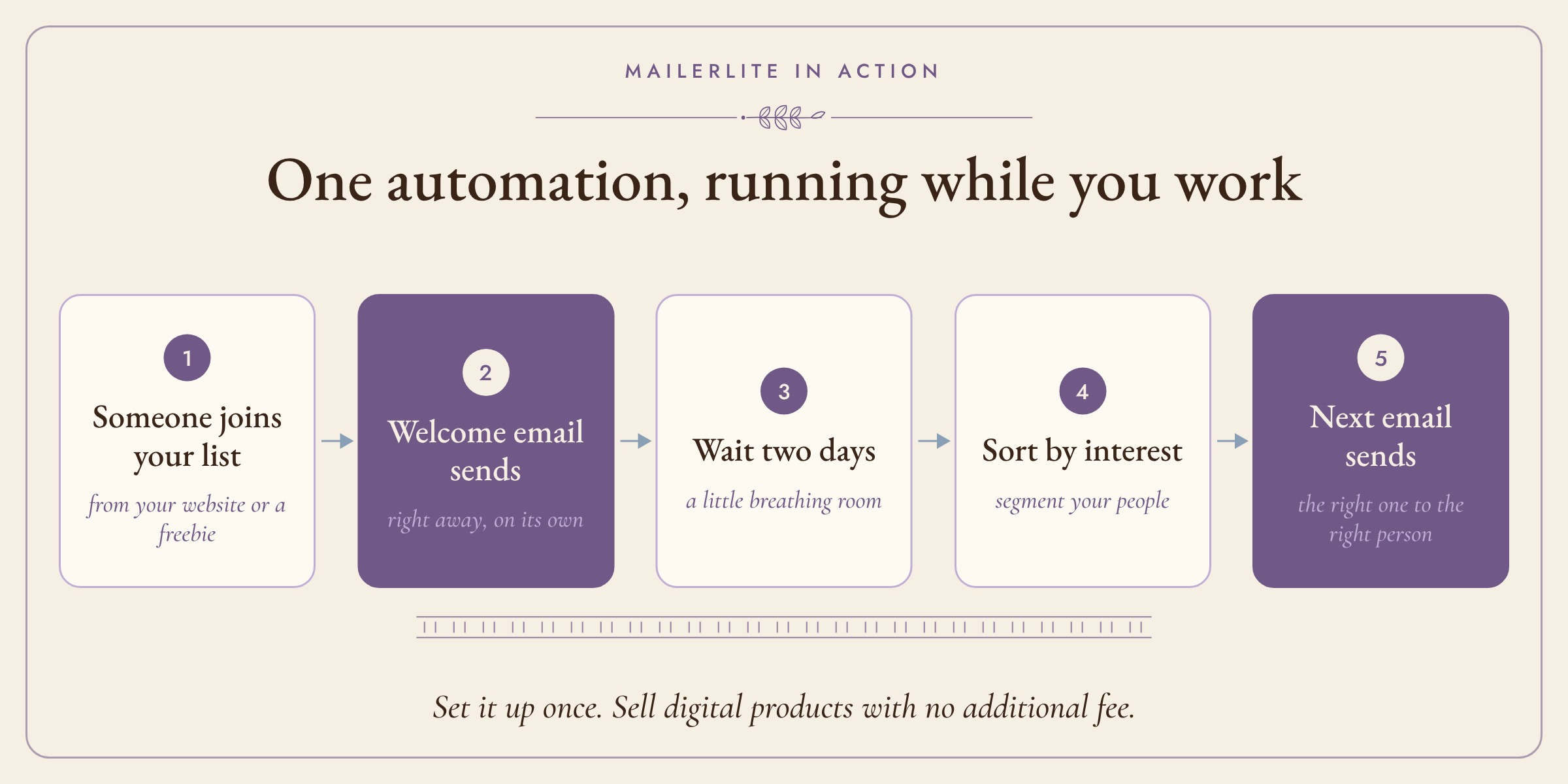
MailerLite is so underrated! It has everything a solo business needs to send emails, grow your email list, and run automations without paying for features a coach at this stage doesn’t need.
I especially love that you can sell digital products without an additional fee (compare that to more expensive options like SamCart) so you take home more of what you earn.
Your scheduling and client system: Acuity or Paperbell
If you have a coaching or service based business and you’re still scheduling with your clients manually for sessions, creating a new link to pay for every new client, or you’re feeling like it’s time to have a system, I have two recommendations.
Acuity (the $20/mo version is more than enough). I’m not an affiliate, I just love it for service-based businesses. And I just recently set up the system inside two of my client’s businesses (again) because it’s tried and true.
And if you need a full system, Paperbell is my absolute favorite. imo, Dubsado is too glitchy and HoneyBook is good if your business is proposal-heavy with your services (but also very technical to setup well). Coaches, Paperbell is thoughtfully built with you in mind.
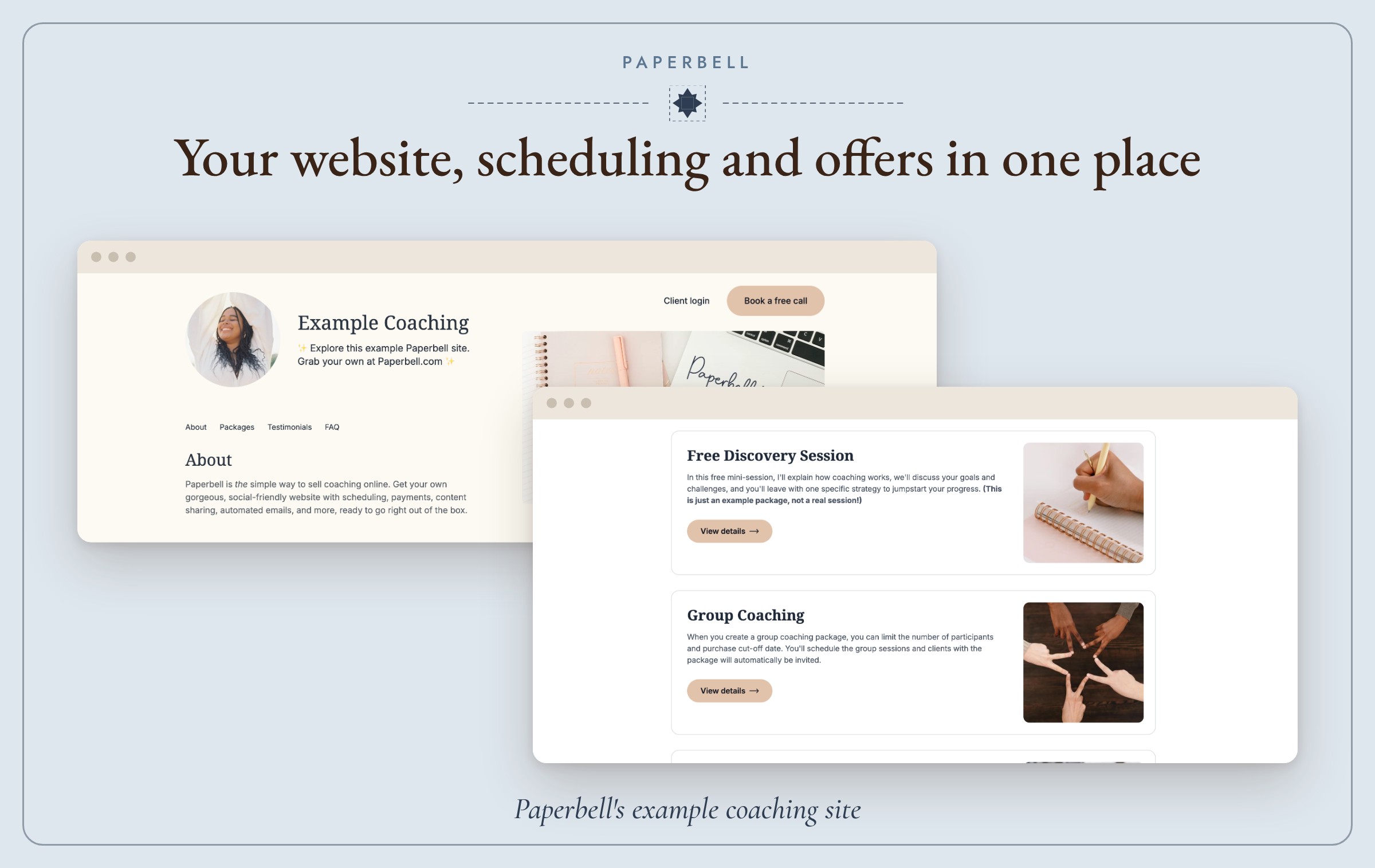
It comes with everything a coaching and service business needs from: a website, scheduling, contract signing, your coaching offers and links to purchase, and everything you need for your client to have a streamlined, peaceful experience working with you.
This is a great option if you offer 1-1 services, intensives, or group programs.
If you’ve been wanting to elevate your client experience, Paperbell is a great option.
When a client pays, all of their onboarding is done one step after another. So you’re not sending a manual email with a payment link, then a contract, then a scheduler, then onboarding docs.
It all happens step by step so you client feels incredibly cared for and confident they made the right choice working with you.
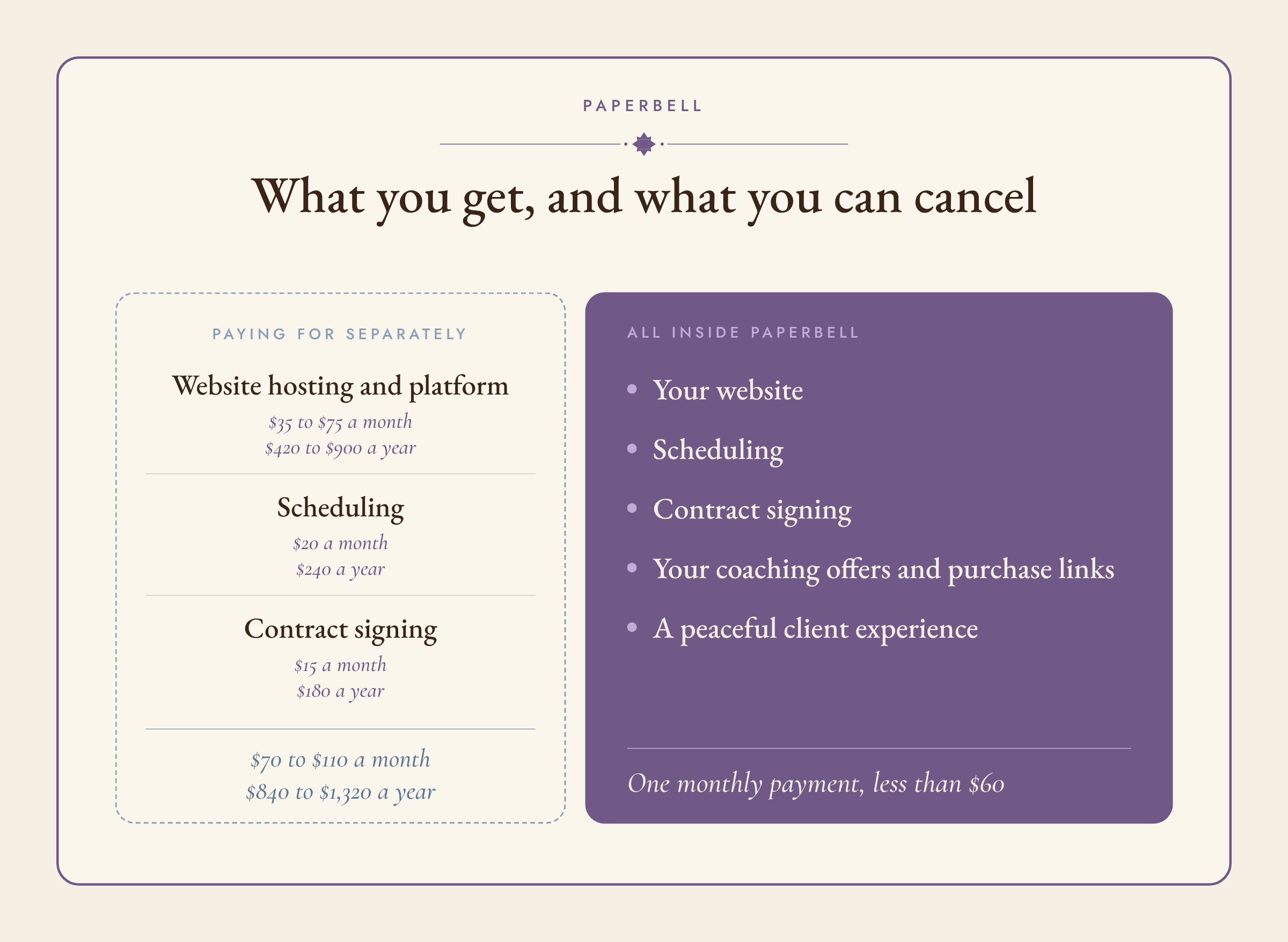
If you add up the costs you have website hosting and platform, scheduling, contract signing all from different platforms and those add up.
If your business is at a point where you have multiple clients, Paperbell is a nice all-in-one option that allows you to cancel some of those additional costs from tools you won’t need anymore. And it’s less than $60/mo. Crazy.
If you’re not sure, set up a call and I can help you discern which platform might fit your needs.
Your organic visibility: Keysearch for SEO
If you’re a blogger or just want your main website pages to show up in organic Google searches, KeySearch is the tool I want to introduce you to.
Google Search Console is a great, free first step to show you what the people who land on your site are searching for. And when you’re ready to bring in more organic traffic through a more strategic plan via SEO, you’ll need a tool that helps you research your blog, vlog, and website page content.
There are a lot of tools out there. Keysearch just happens to be my favorite. It’s easy to use, gives great data, and has helped my blog posts to rank #1 in google search multiple times.
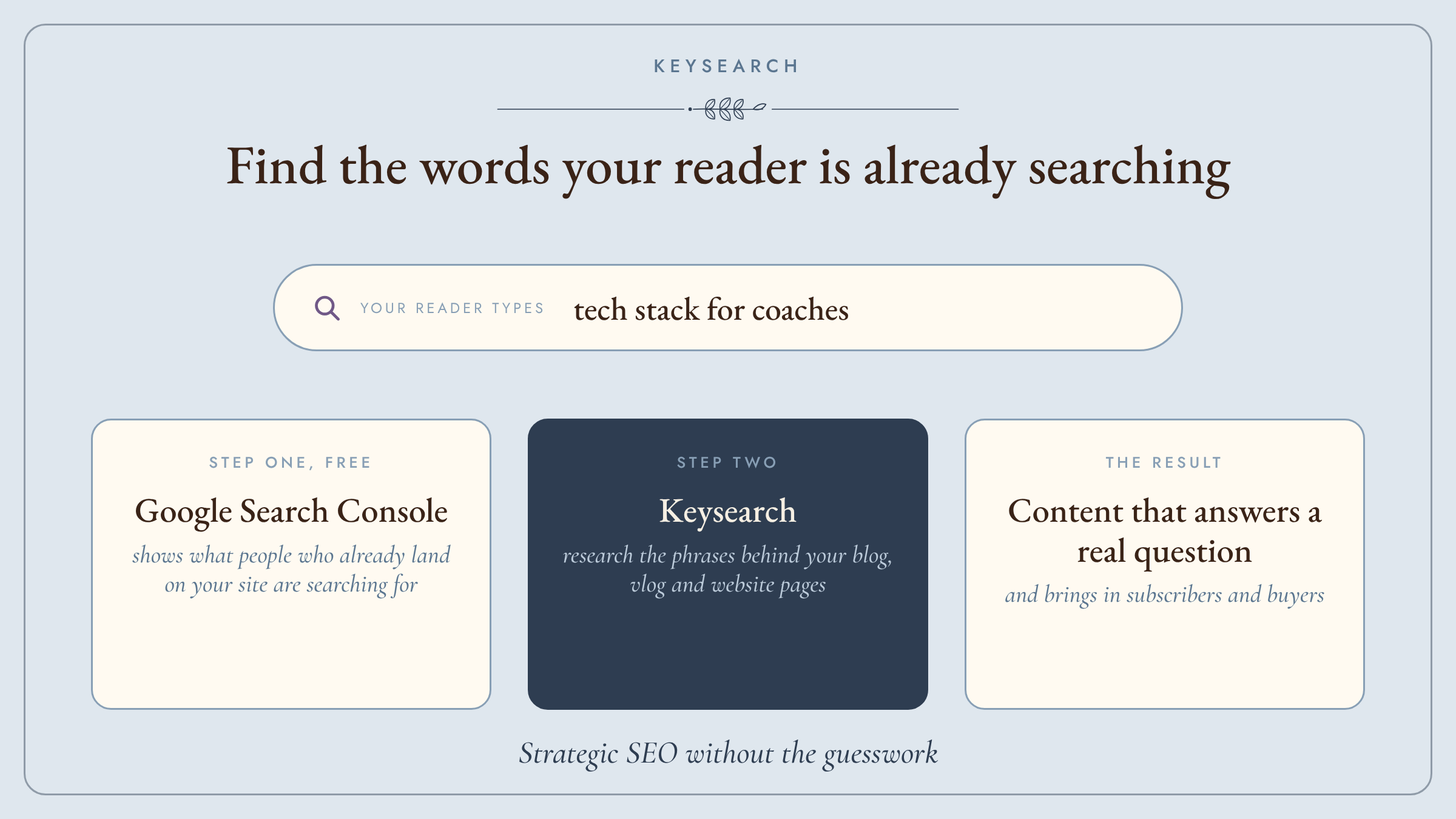
KeySearch shows you the exact words and phrases you ideal reader is searching for, so what you publish answers a real question and can ideally gain you new subscribers to your email list, buyers to your digital offers, and more.
What I’d wait on
You don't need a tool for everything. If you've ever signed up for something at 11 p.m. because it promised to fix your business, we all know how that usually pans out.
Here's what I'd hold off on until the four above are working:
A separate funnel builder, since your website can usually do the job
A course platform before you've tested the market and sold it a few times
A social media or Pinterest scheduler, this you can do on most platforms for free now
Anything that duplicates a tool you already pay for, overwhelms you, or makes you think you have to try it because ‘it’s working’ for someone else
Add a tool when you feel a real, repeated pain, not when you feel behind.
If you're feeling the weight of too many tools, here's more on what a peaceful business really is.
And if you're not sure you're ready for more tools, remember that you can faithfully steward your business before you have a big audience.
Not sure which of these tools fits the season your business is in? Let's look at it together.
On a discernment call, we'll look at where you are, what's working, and what's worth adding (or waiting on). If it makes sense to work together, we'll talk about that too.
Book a call here.
Quick Answers
How many tools does a coach need?
Four cover most coaches: a website, an email platform, a booking and payment tool, and a keyword research tool. Add more only when a repeated problem calls for it.
What's the best tech stack for a new coach?
Start with a website and an email list. Add booking and payments when clients are ready to book, and keyword research when you start publishing consistently.
Do I need a separate tool for contracts and payments?
Not if your booking tool handles them. Paperbell does booking, contracts and payments together, so a client can book, sign and pay in one place.
How do I keep my coaching expenses low?
Ask whether each tool saves time or brings in money, and whether you'll still use it in six months. Cancel anything that fails either question.